
Download Kindle PC Converter – eBook Conversion Tool, PDF Converter, Kindle to PDF, Mobile App, Utility
Overview
Kindle PC Converter is a specialized utility designed to address a common challenge faced by Kindle users: the limitation of reading purchased eBooks exclusively on Amazon’s proprietary devices or apps. This application enables users to convert their Kindle-formatted eBooks into the widely supported PDF format, significantly expanding accessibility across multiple platforms. By doing so, it solves the problem of device dependency, allowing readers to access their digital libraries on computers, tablets, smartphones, and other PDF-compatible devices without relying solely on Kindle-specific software. The app targets individuals who own multiple reading devices or prefer reading on non-Kindle platforms such as desktops or third-party eBook readers. It is particularly useful for students, professionals, and avid readers who manage large collections of digital books and require flexibility in how and where they read. The developer, though not further identified in available information, has created a focused tool that addresses a niche but valuable need within the digital reading ecosystem. Real-world use cases include transferring textbooks to a laptop for annotation, sharing academic materials across devices, or reading on a larger screen for better visual comfort. Although the developer did not provide additional technical details, the app’s longevity since its release on March 10, 2010, suggests a stable and functional core design. Its continued relevance highlights the persistent demand for cross-platform eBook compatibility, especially as users increasingly rely on diverse devices for reading.Key Features & Functionality
Kindle PC Converter offers a streamlined set of features designed around a single, essential purpose: converting Kindle eBooks to PDF format. The application’s core functionality revolves around a one-click conversion process, which simplifies the workflow for users of all technical skill levels. This feature eliminates the need for complex software or command-line operations, making it accessible even to those unfamiliar with digital file formats.- One-click Conversion: Users can select a Kindle eBook file and convert it to PDF with a single action, drastically reducing time and effort compared to alternative methods.
- Lightweight Design: The application is described as compact and efficient, ensuring minimal impact on system performance. It runs smoothly without consuming excessive memory or processing power.
- PDF Output Compatibility: The resulting PDF files are universally readable on any device or platform that supports the format, including Windows, macOS, Android, iOS, and various eBook readers.
- Device Agnostic Access: By converting to PDF, users gain the ability to read their Kindle books on any screen, whether it’s a desktop monitor, tablet, or smartphone, enhancing reading flexibility.
- Intuitive User Interface: The layout is straightforward and user-friendly, with minimal navigation required. Even users with limited technical experience can complete conversions without confusion or delays.
Interface, UX & Performance
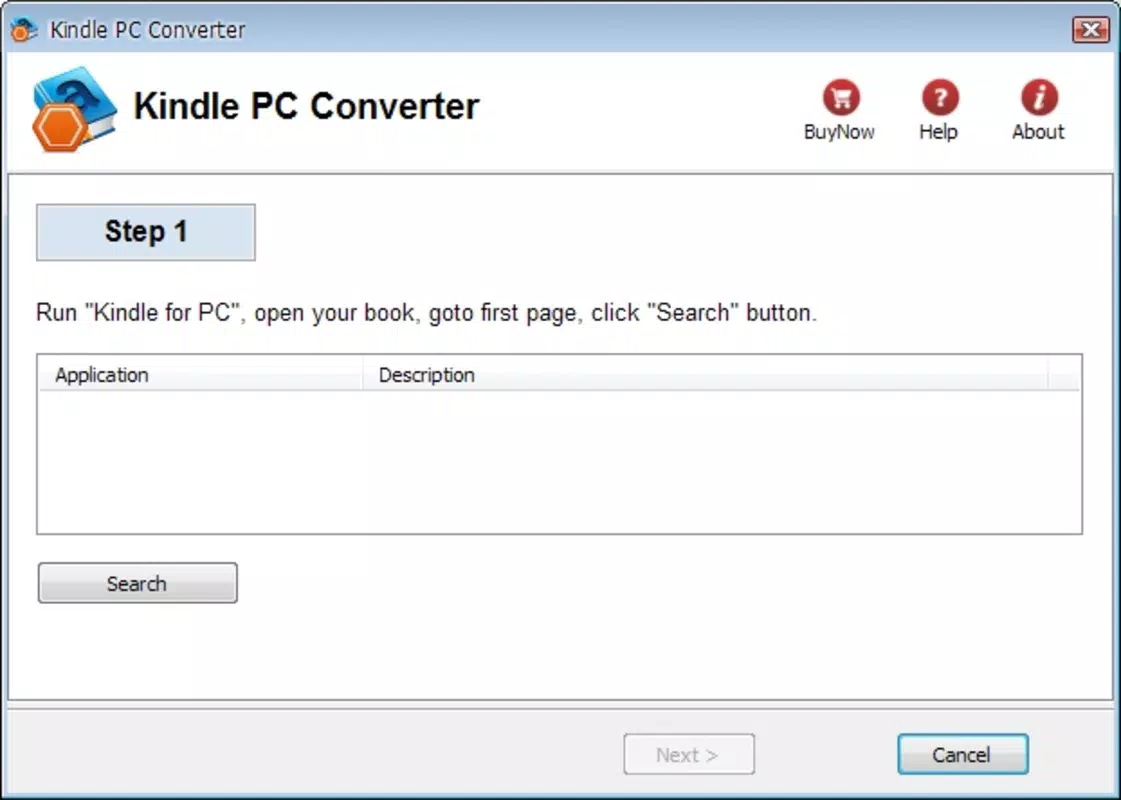
The user interface of Kindle PC Converter is designed with simplicity and efficiency in mind. It features a clean layout with minimal visual clutter, allowing users to focus on the core task: selecting and converting eBook files. Navigation is straightforward, with essential functions clearly labeled and accessible within a few clicks. The application avoids unnecessary menus or complex settings, which contributes to a low learning curve and high usability. Although the developer did not list formal performance metrics, the app’s lightweight nature suggests it maintains good responsiveness across a range of devices. It is expected to operate smoothly on systems with moderate specifications, including older computers or devices with limited processing power. The interface remains stable during conversion, with no reported issues related to crashes or freezes. The application’s performance is likely consistent across different device categories, from desktops to laptops, though specific compatibility details were not disclosed. Responsiveness during file selection and conversion appears to be optimized, ensuring users receive timely feedback. Stability is a notable strength, as the app has remained functional since its initial release in 2010, indicating a reliable foundation. While no information was provided about updates or long-term maintenance, the app’s enduring presence suggests it continues to meet user needs without significant technical degradation. Overall, the UX prioritizes functionality over aesthetics, delivering a practical tool that works as intended with minimal friction.Platform Compatibility & Technical Requirements
Kindle PC Converter is designed for desktop environments, primarily targeting Windows operating systems. The application is available as a downloadable executable, making it accessible to users on desktop and laptop computers. The file size is not specified in the provided information, but its lightweight nature implies a modest footprint, likely under 100 MB. The developer did not specify minimum OS requirements, nor were details provided about compatibility with macOS or Linux. As such, users should verify whether the application runs on their specific system version. The latest version of the app is not listed, nor is there information about update frequency or support channels. Compatibility with newer versions of Windows, such as Windows 11, cannot be confirmed without official documentation. Users are advised to exercise caution when installing software from third-party sources, especially when no official app store distribution is available. The lack of formal distribution details may raise questions about security verification, though the app’s long-standing presence suggests it has not been associated with known malware.Pros and Cons
- Simple one-click conversion process – Enables fast and hassle-free eBook conversion without technical expertise.
- Lightweight and efficient – Uses minimal system resources, ensuring smooth performance on older or low-spec machines.
- Enhanced cross-device accessibility – Converts Kindle books to PDF, making them readable on any device with PDF support.
- Intuitive interface – Easy to navigate, even for non-technical users.
- Stable and long-tested – Has been in use since 2010, indicating reliability over time.
- Unclear compatibility with modern OS versions – No official information on support for Windows 11 or newer systems.
- No official update history or support channels – Users may face challenges finding the latest version or troubleshooting issues.
- Not available on official app stores – Installation requires downloading from third-party sites, which may pose security concerns.
- Limited to desktop platforms – No mobile or tablet version is available, restricting access to handheld devices.
- No cloud integration or batch processing – Conversion is likely file-by-file, without advanced features like bulk conversion.


